

Rotax Racing Club Motorsport UK KX Licence
All competitors racing in the Rotax Racing Club International Finals / Team Trophy must obtain a Motorsport UK KX Licence and upload a picture of the licence to your Rotax Racing Club Alpha Timing account.
Club100 (UK) Drivers
Please upload a picture of your existing Motorsport UK K-X Licence to the Rotax Racing Club Alpha Timing account. See step 6.
If you do not yet have a K-X Licence, please read on.
INTERNATIONAL DRIVERS
You will need to apply for a Motorsport UK K-X licence and upload a picture of the licence to the Rotax Racing Club Alpha Timing account.
DRIVERS UNDER 18: Drivers under 18 will need a parent or guardian present with them at the event and that person must have a Motorsport UK PG Licence. This PG Licence is £30. The PG Licence must be applied for before applying for the driver’s K-X license. Please apply for your PG licence at https://club100.co.uk/rrc-pg-licence/
K-X LICENCE APPLICATION GUIDE
IMPORTANT – INTERNATIONAL DRIVERS: When asked for your address, please enter the following: Club100 Racing, Bon Accord House, Eurolink Industrial Estate, Sittingbourne, Kent, ME10 3SJ. Licence applications with a non UK address will be rejected!
The online application process is a bit fiddly so please watch the following video before proceeding with the application process: https://www.loom.com/share/5d0cd6ac209940fbba185c26d155b9b9
STEP 1
Head to https://motorsportuk.sport80.com/
If you already have a Sport 80 account for Motorsport UK, then login otherwise create “Join Now” on the left (it’s not highlighted very well)

STEP 2: UPDATE PERSONAL DETAILS
- IMPORTANT – INTERNATIONAL DRIVERS: When asked for your address, please enter the following: Club100 Racing, Bon Accord House, Eurolink Industrial Estate, Sittingbourne, Kent, ME10 3SJ. Licence applications with a non UK address will be rejected!
STEP 3: CREATE / RENEW MEMBERSHIP
Before obtaining a licence, you need to create your membership of Motorsport UK.
Please see the video guide at https://www.loom.com/share/5d0cd6ac209940fbba185c26d155b9b9
STEP 3. OBTAIN K-X LICENCE
- From the dropdown at the top, select “Entry-Level Licences”

- Click blue Add Entry-level Licence

- Select KX Licence

- In the dropdown selection Kart KX licence type:
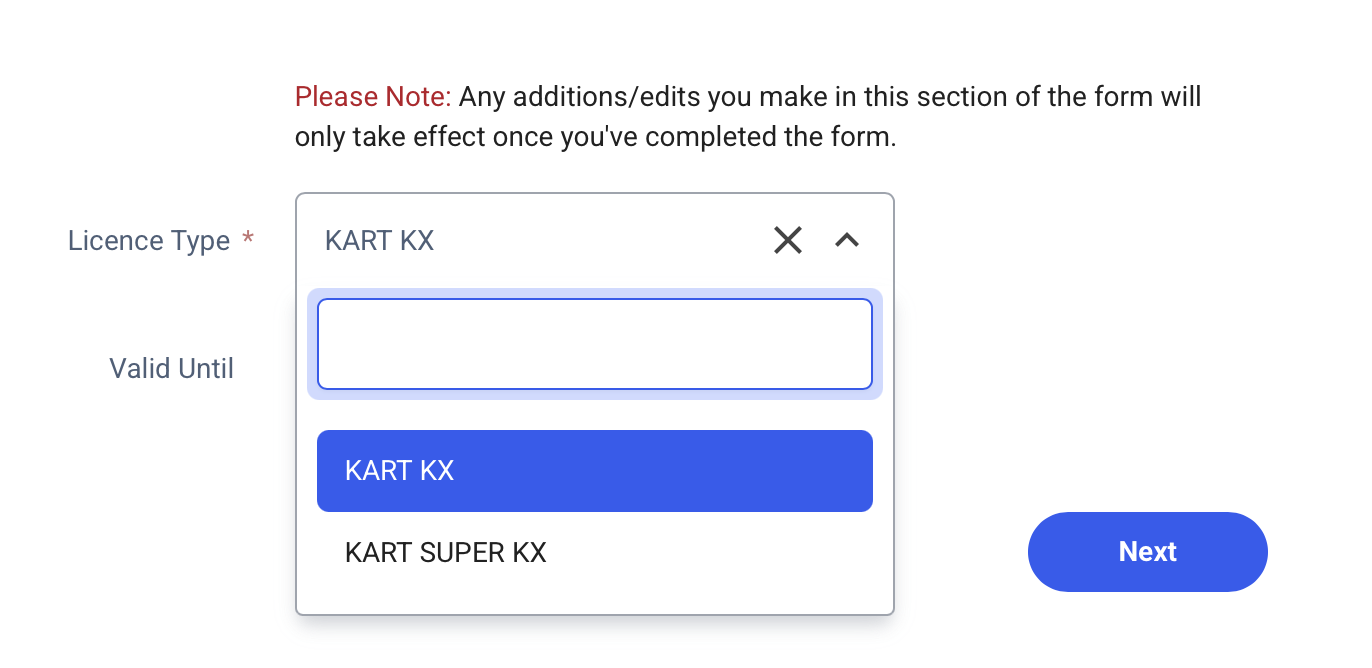
- Under Select A Club, search for Club100 (no spaces)

- Fill in questions about your medical conditions
- Fill in any further questions about your personal details and upload photo ID if asked
- Confirm your acceptance of the terms and conditions
STEP 4. DOWNLOAD PASS on TO PHONE
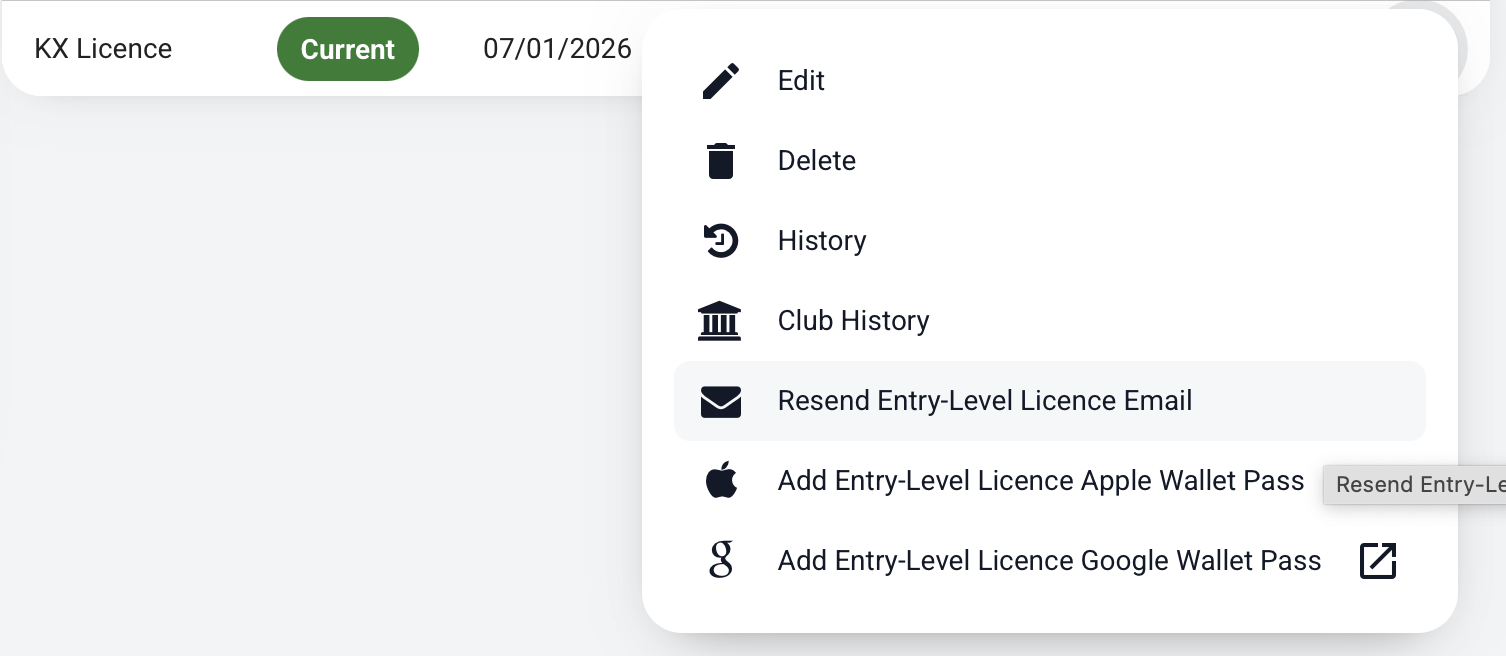
- You should receive an email with a Wallet pass of your licence. If not you can click the 3 dots beside your licence and click Add Licence to Apple / Google Wallet Pass, or Resend Licence Email
STEP 5: TAKE SCREENSHOT
- Once you have added the pass to your phone, please take a screenshot of the pass and store this as a photo on your phone
STEP 6. UPLOAD SCREENSHOT TO ROTAX RACING CLUB ENTRY SYSTEM
You now need to upload the screenshot of the licence you’ve received in the email from Motorsport UK to the Rotax Racing Club entry system.
IMPORTANT: if you cannot login please email racing@club100.co.uk
Please DO NOT create a new account as this will end up creating a duplicate profile which will create lots of issues. Instead, please just email racing@club100.co.uk and we will be able to sort out access for you.
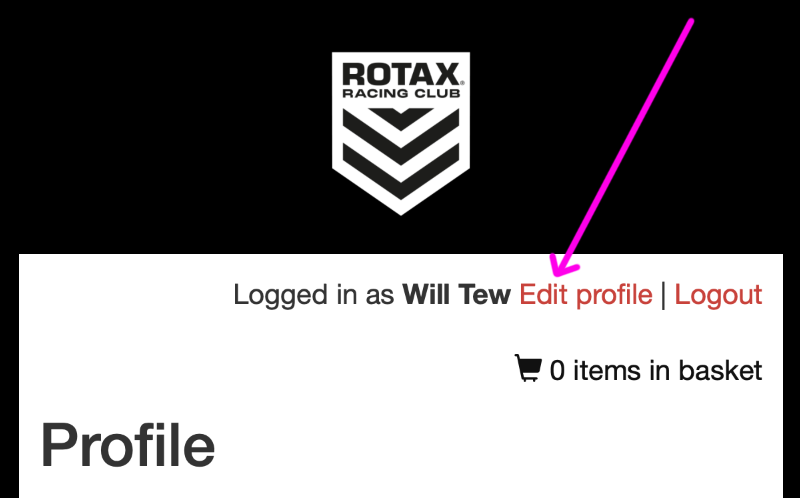
- Once logged in click “edit profile”
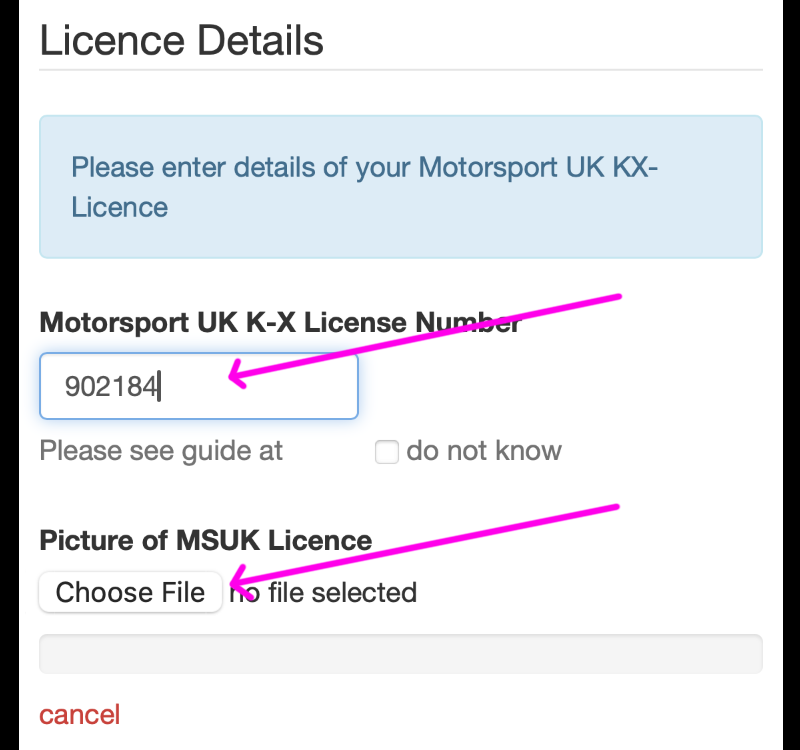
- Scroll down to the Licence Number section and enter your new licence number and upload the picture of your licence as well.
STEP 7. ALL DONE
See you at the finals!


